
 View what's in this topic
uProduce Connection
The uProduce system you select represents the connection from your Circle account to the Circle Agent on uProduce.
This single connection is used for connecting all projects in your Circle account to uProduce. Therefore, we recommend specifying the uProduce system credentials that grant access permissions to all relevant uProduce accounts.
Editing uProduce system credentials impacts all projects connected to the selected uProduce system.
Edit uProduce credentials
-
From the File menu, select Account>uProduce Connection.
-
Select the uProduce system of your choice.
-
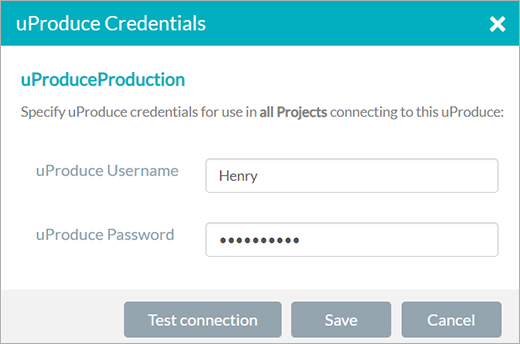
In the uProduce Credentials dialog, set the username and password to be used for all projects connecting to this uProduce system.
-
Test the connection, and if successful, click Save.