
 View what's in this topic
Uploading a uImage Package to Circle
To upload a uImage package to the Circle library:
-
Open the library.
-
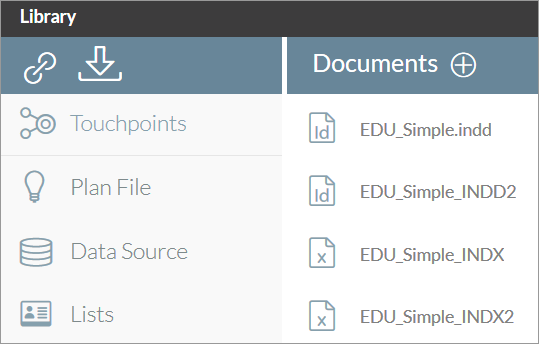
In the left pane, click Documents.
The Documents list is displayed.
-
Click the Add icon
 to add a new document.
The New Document dialog box is displayed.
-
In the Document Source drop-down list, select Upload File.
-
Click Browse and navigate to the file you want to upload.
On uploading a package file (*.dpkg), the system checks the document to verify that its content objects are consistent with the plan file used with the current project. The document name is displayed in the Document Name field.
-
Optionally, rename the document in the Document Name field.
-
Click Upload.
When uploading a document package containing uImage, the *.psd document will be added to the documents list in the library. Any packaged uImage effect components (fonts, uImage assets, actions, brushes, styles and scripts) are placed in the proper locations.
The uploaded document package can be replaced with another document or downloaded for editing or exchange.
Modifying the uImage Package
After uploading a uImage DPKG you may wish to edit the template or its components (for example, replace a font or update an action).
Whenever you wish to update any of the uImage effect components (uImage template, fonts, assets, actions etc.), you can easily create a new document package and upload it to Circle.
To replace a DPKG in Circle:
-
Open the library.
-
In the left pane, click Documents.
The Documents list is displayed.
-
Select a document.
-
In the Document details pane, click the Upload icon
 .
The Update Document dialog box is displayed.
-
In the File to Upload field, click Browse and navigate to the file you want to upload.
On uploading a package file (*.dpkg), the system checks the document to verify that its content objects are consistent with the plan file used with the current project.
-
Optionally, rename the document in the Document Name field.
-
Click Upload.
Downloading a uImage Document Package from Circle
The uImage document package may be downloaded from Circle just like any other document, either as a document package or as the original file.
To download the uImage document package:
-
Open the library.
-
In the left pane, click Documents.
The Documents list is displayed.
-
Select a document.
-
In the Document details pane, click the Download icon
 .
-
Select one of the following:
-
Download File: downloads a copy of a single document. components associated with this document (for example, fonts, assets) are not downloaded.
-
Download Package: Downloads a document with other associated components that are included in the package.
-
You can now save the file locally and begin editing.