View what's in this topic
Generating Personalized Images on uProduce
uProduce allows you to generate personalized images in different ways:
-
When you proof or process a document that uses uImage, the personalized images are generated as part of the document composition process.
-
Alternatively, if you do not wish to generate these personalized images for a particular document composition (for example, if you wish to generate them in advance, so they will be ready to be used as website images), you can generate a Proof Set
Choose one of the following procedures:
To generate personalized images as part of a document production:
-
Select the document that uses the uploaded uImage template.
-
Produce this document by selecting the Proof or Process options. For instructions on producing documents, see the uProduce online help.
The production of the job triggers the evaluation of the Plan file containing the uImage call. This in turn triggers uImage to create the personalized images and save them in the specified output folder. These images are then automatically incorporated into the print / web document and added to the Print Output file. It is recommended to start with a short run, to check that everything is working properly, before running the full production job.
In order to allow fast, efficient production, the personalized image generation is shared by all uProduce extensions that have a uImage for Server license.
To generate personalized images as a Proof Set:
-
In the campaign tree, click Plan.
The Plan page is displayed.
-
In the Plan page, select the Plan.
The Plan Details page is displayed.
-
In the Plan Details page, click the Generate button.
The Generate Proof Set for <Plan Name> page is displayed.
-
To generate a Proof Set, define its Recipients and Range and click Submit.
This Proof Set will include a personalized image for each recipient in your data source.
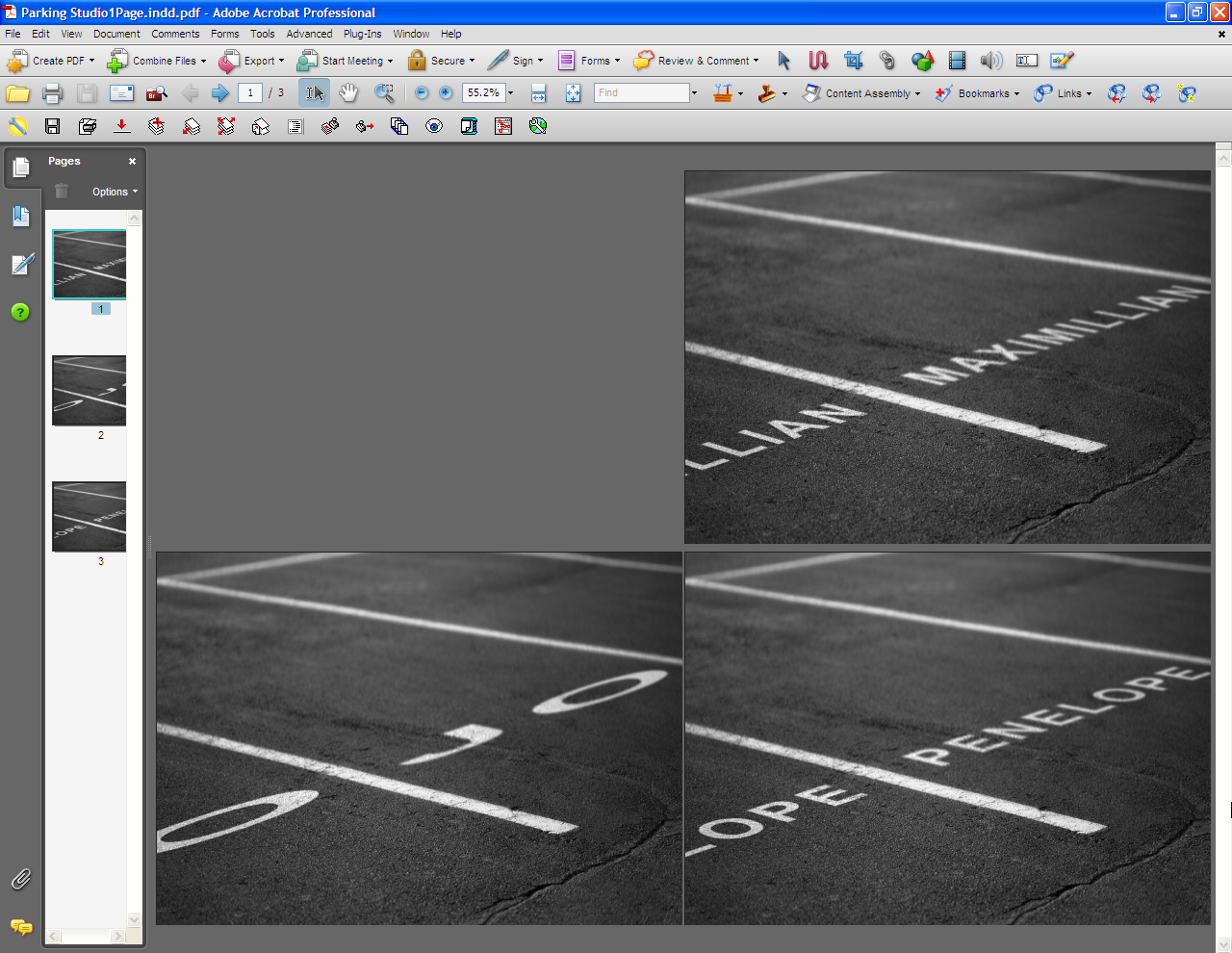
The following is an example of personalized images generated by uProduce. In this case, the Print Output file is a PDF that includes three images. Each image shows the recipient’s first name (Jo, Maximillian or Penelope) painted on all parking spaces.