
 View what's in this topic
Defining a Preflight Workflow in FreeFlow Core
-
Log in to Freeflow Core.
-
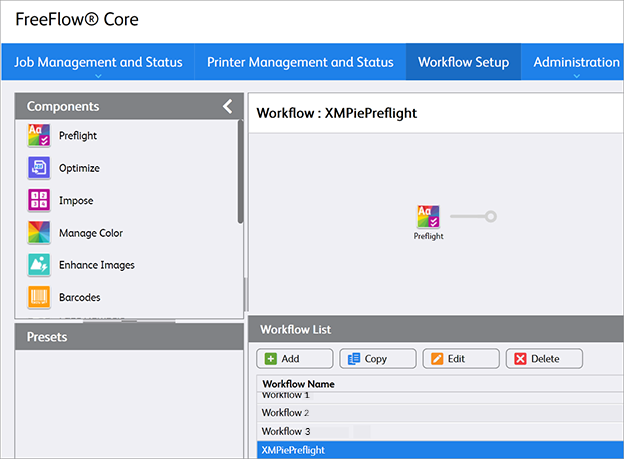
Select Workflow Setup > Create New. An example of a workflow name can be "XMPiePreflight".
-
Drag the Preflight node into the workflow area.
Note that no other nodes are allowed.
-
Click the Edit button to edit the node.
-
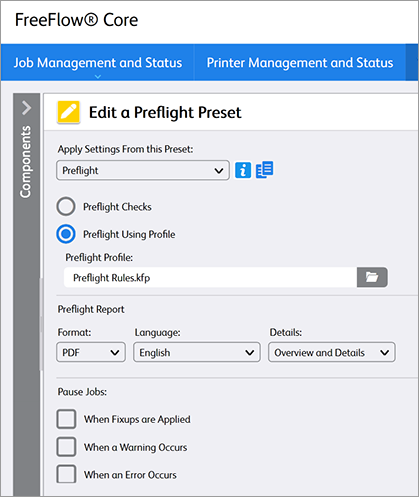
In the Edit a Preflight Preset window, select Preflight Using Profile.
-
Under Preflight Profile, upload the required preflight profile (.kfp file) which will be used to inspect PDF files. Preflight profiles are created in Adobe Acrobat or Callas pdfToolbox (contained within FreeFlow).
Note that only Preflight checks are supported, but no fixups. -
Under Pause Jobs, clear all the pause jobs options so that the Preflight will always complete.