
 View what's in this topic
Adding Custom JavaScript to Your Store
With uStore Custom JavaScript Editor, you can customize the look and feel of your store by adding rich, interactive content. JavaScript allows you to create highly responsive interfaces that improve the user experience and provide dynamic functionality. For example, you can use JavaScript to hide a button or to change its behavior, to skip pages in the storefront flow and more.
In addition to JavaScript, jQuery code is also supported.
To add custom JavaScript to your store:
-
In the Store list, click the required store, and then clickStore Settings > Add JavaScript to Storefront.
-
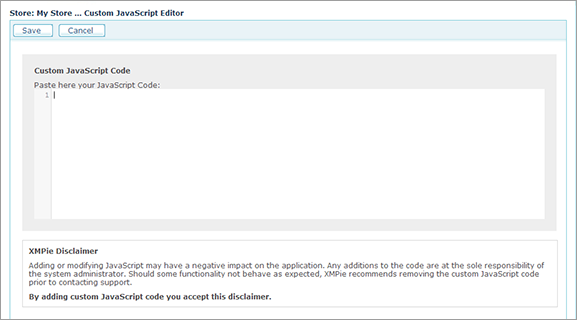
In the Custom JavaScript Editor window, paste your JavaScript code.
-
Click Save.
Important Please read carefully the XMPie disclaimer before adding Custom JavaScript.