
 View what's in this topic
Configuring the Cart Export Webhook
The Cart Export webhook provides customers with the ability to export cart item information to an external service for additional processing (backup, analysis, integration with third systems, etc.). The uStore Connect Enterprise store uses the Cart Export webhook to get a URL to the custom checkout page.
To configure the cart export webhook:
-
Go to Global Settings > System Setup > Global Configurations, and search for CartExportWebhookConfig.
-
Click the Edit
 icon.
icon.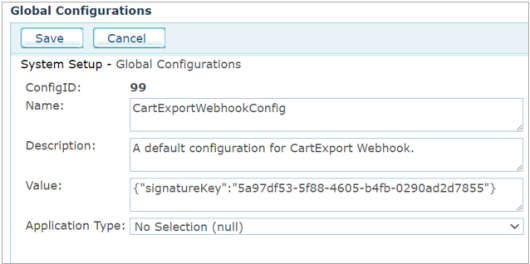
-
In the Value box, change the signature key for a random signature key. It will be used to hash and validate the JSON on both sides.
-
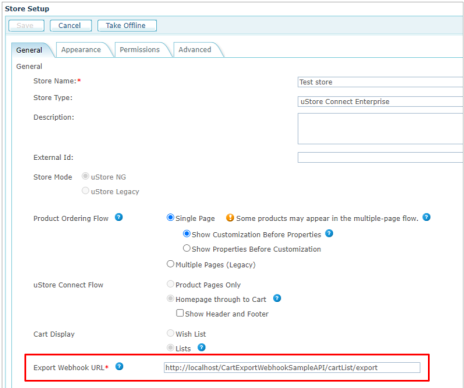
In the Store Setup page > General tab, set the Export Webhook URL as follows:
-
Learn how to build your webhook.