
 View what's in this topic
Cost Center Clearing Configuration
When selected in the storefront checkout process, the Cost Center clearing method displays a text box for the customer to enter a value. An entry is mandatory, but uStore does not provide any validation that the value entered by the customer is in the correct format, or is a valid cost center number. Any value entered by the customer is accepted.
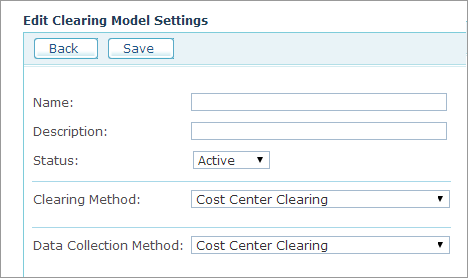
|
Field |
Description |
|
Name, Description |
Enter a name and a description for the clearing model. |
|
Status |
Select Active to make the Clearing Model available for the stores or Inactive to hide it. |
|
Clearing Method |
The Cost Center Clearing is selected by default. |
|
Data Collection Method |
The Cost Center Clearing is selected by default. |
The clearing method is offered at checkout only in stores where it has been selected. See Setting Up the Store Clearing Methods.