
 View what's in this topic
uStore Global Settings
The Global Settings area in uStore is your starting point for your store’s settings and system setup. From Global Settings administrators can gain access to various settings and software database tables.
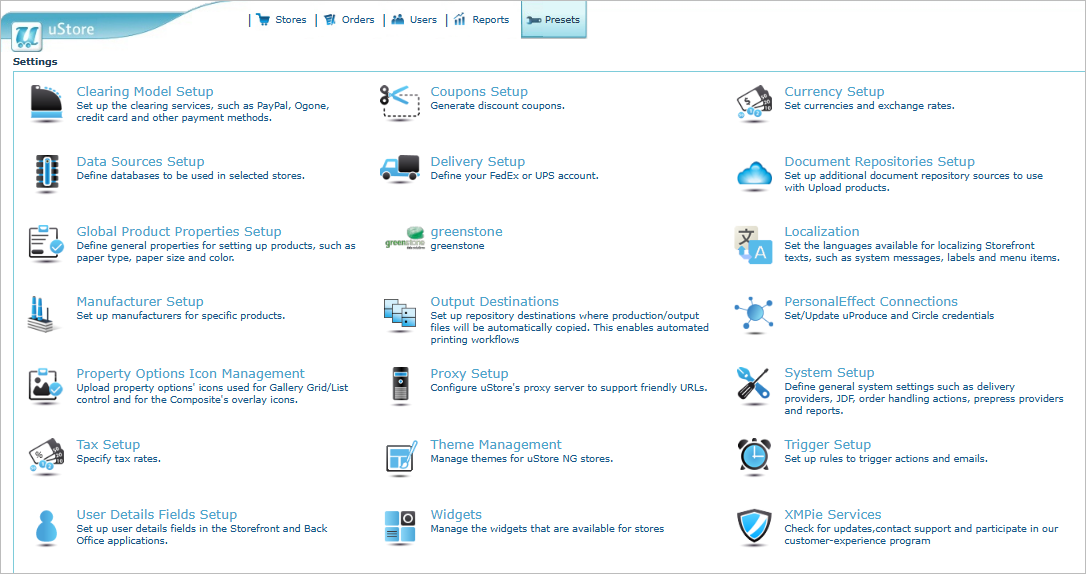
From Global Settings you can:
|
|
Configure AI services for image generation, content creation, translation, and more. |
|
|
|
Set up clearing models, such as PayPal, MultiSafepay, credit card and other payment methods, that will be available in the store. |
|
|
|
Generate discount coupons. |
|
|
|
Define currencies and exchange rates. |
|
|
|
Define databases to be used in specific stores. (not available for StoreFlow Cloud customers) |
|
|
|
Define your FedEx or UPS accounts. |
|
|
|
Set up document repository sources to use with upload products. (Not available for StoreFlow Cloud customers) |
|
|
|
Define general properties for setting up products, such as paper type, paper size and color. |
|
|
|
Set the languages available for localizing storefront texts, such as system messages, labels and menu items. |
|
|
|
Set up manufacturers for specific products. |
|
|
|
Set up uProduce and Circle connections. (Circle connection is not available for StoreFlow Cloud customers) |
|
|
|
Upload property options' icons used for the gallery list/grid control and for the composite product overlay icons. |
|
|
|
Configure uStore's proxy server to support friendly URL's. (Not available for StoreFlow Cloud customers) |
|
|
|
Define general system settings, such as delivery providers, JDF, order handling actions, prepress providers and reports. |
|
|
|
Specify tax rates. |
|
|
|
Manage themes for uStore NG stores. |
|
|
|
Set up rules to trigger actions and emails. |
|
|
|
Set up user details fields in the storefront and backoffice. |
|
|
|
Manage the store's widgets. |
|
|
|
Check for updates, send log files to XMPie support, download JDF files and access the REST API documentation. (Not available for StoreFlow Cloud customers) |
|
|
|
Set up repository destinations where production/output files will be automatically copied. This enables automating printing workflows. |
|
|
|
Manage custom input controls of NG products. |


